
Download Click Map – Free Travel Navigation Software for Mac
Overview
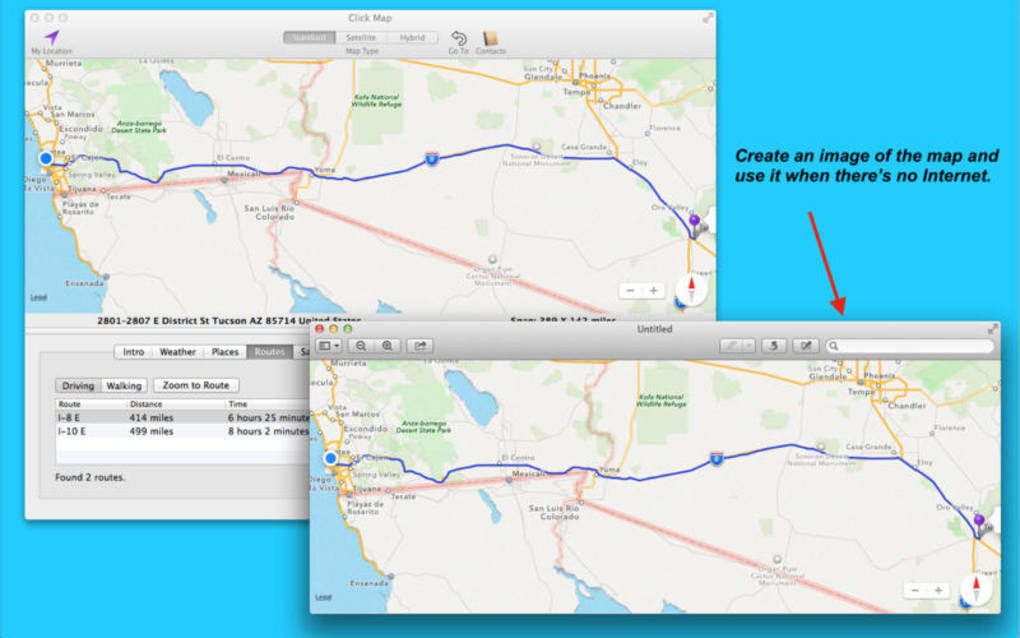
Click Map is a lightweight, free program for macOS that brings an intuitive, click‑to‑navigate experience to travelers and explorers alike. Developed by William Modesitt, this travel‑navigation tool is designed to help users plot routes, discover points of interest, and visualize geographic data without the overhead of bulky GIS suites. The interface is built around a simple click‑and‑drag paradigm: users click on a map to set start and end points, and Click Map instantly generates the optimal path, complete with turn‑by‑turn directions and estimated travel times. Because it runs natively on macOS, the app leverages Apple’s graphics frameworks to deliver smooth zooming, panning, and layer toggling, making it feel both responsive and modern.
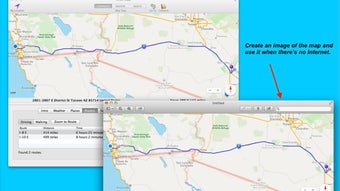
Beyond basic routing, Click Map supports offline maps, allowing users to download map tiles for use when an internet connection is unavailable—a crucial feature for hikers, backpackers, or anyone traveling to remote locations. The software is fully localized in English, with a clean UI that avoids clutter, ensuring that both casual tourists and seasoned road‑trippers can get the information they need with minimal learning curve. Security‑conscious users will appreciate that Click Map does not collect personal data or track usage; the application operates entirely offline unless the user explicitly chooses to update map data.
In short, Click Map offers a free, secure, and easy‑to‑use navigation solution for Mac users who need reliable route planning without the subscription fees associated with many commercial mapping services. Its focus on simplicity, offline capability, and macOS‑native performance makes it a standout option in the travel‑navigation category.
Key Features
- Click‑to‑set origin and destination for instant route generation.
- Offline map support – download tiles for use without internet.
- Turn‑by‑turn directions with estimated travel times.
- Multiple map layers (satellite, terrain, street view).
- Custom waypoint creation for multi‑stop trips.
- Export routes as GPX or KML files for use in other GPS devices.
- Lightweight footprint – under 50 MB installation size.
- Automatic updates for map data and app improvements.
- Full macOS integration with Dark Mode support.
- Privacy‑first design – no telemetry or data collection.
Each feature is crafted to keep the user experience frictionless. For instance, the offline map capability ensures that hikers in the backcountry can still rely on accurate topographic information, while the ability to export routes as GPX/KML makes it easy to sync plans with external GPS devices or other navigation apps. The multi‑layer view allows travelers to switch between satellite imagery for visual orientation and terrain maps for elevation details, giving a richer context for trip planning.
Click Map’s lightweight design means it loads quickly, even on older Mac hardware, and its automatic update mechanism ensures that users always have the latest road data without manual intervention. By supporting Dark Mode, the app reduces eye strain during night‑time planning sessions, aligning with macOS’s system‑wide appearance settings.
Installation, Usage & Compatibility
Installing Click Map on a Mac is straightforward. Begin by downloading the DMG file from the official website. Once the download completes, double‑click the DMG to mount the installer, then drag the Click Map icon into the Applications folder. macOS may display a warning about apps from unidentified developers; simply right‑click the app, choose “Open,” and confirm you trust the source. The installation process typically takes under two minutes, and the app occupies less than 50 MB of disk space.
After launching Click Map for the first time, you’ll be greeted with a brief tutorial that explains the core workflow: selecting a map layer, clicking on the map to set start and end points, and reviewing the generated route. The toolbar at the top provides quick access to map layer toggles, waypoint addition, and export options. Users can also customize preferences such as default map type, units (kilometers or miles), and whether to enable automatic map‑data updates.
Compatibility: Click Map runs on macOS 10.14 (Mojave) and later, including macOS Ventura and Sonoma. The application is optimized for both Intel‑based Macs and Apple Silicon (M1/M2) devices, automatically using native code paths for the best performance. While the primary platform is macOS, a companion web portal allows users to preview routes on other devices, but the full desktop experience remains exclusive to Mac.
For users who need to integrate Click Map with other tools, the export feature supports GPX and KML formats, which can be imported into popular GPS devices, Google Earth, or third‑party navigation apps. Regular updates are delivered through the built‑in updater, ensuring that map data stays current and that any bug fixes or feature enhancements are applied seamlessly.
Pros & Cons, Frequently Asked Questions & Conclusion
Pros
- Completely free with no hidden fees.
- Offline map capability for remote travel.
- Intuitive click‑to‑navigate interface.
- Low system resource usage.
- Strong privacy focus – no data collection.
Cons
- Lacks real‑time traffic information.
- No built‑in voice navigation.
- Limited to macOS – no native Windows or mobile app.
- Map styling options are basic compared to premium services.
- Advanced route optimization (e.g., avoiding tolls) is not available.
FAQ
Can I use Click Map without an internet connection?
Yes. After downloading the required map tiles, Click Map works fully offline, making it ideal for remote areas with no cellular coverage.
Is Click Map compatible with Apple Silicon Macs?
Absolutely. The app runs natively on M1 and M2 chips, delivering fast performance and low power consumption.
How do I export a route for use in another GPS device?
Click the export button in the toolbar and choose either GPX or KML format. The file can then be imported into most GPS hardware or mapping services.
Does Click Map provide real‑time traffic updates?
No. Click Map focuses on offline navigation and does not include live traffic data. Users needing live traffic should consider a complementary service.
Is there a paid version with additional features?
Currently, Click Map is entirely free. The developer may introduce premium add‑ons in the future, but all core navigation features remain free today.
Conclusion & Call to Action
Click Map stands out as a reliable, privacy‑first navigation solution for Mac users who value offline capability and simplicity. While it lacks advanced traffic analytics, its core strengths—free pricing, low resource usage, and seamless macOS integration—make it an excellent choice for travelers, hikers, and everyday commuters alike. Ready to plan your next adventure without paying a dime? Download Click Map now and experience hassle‑free route planning on your Mac.
Click Map delivers a smooth, offline‑first navigation experience that feels right at home on macOS. The intuitive click‑to‑navigate workflow, combined with robust export options, makes it a practical tool for both casual trips and serious expeditions. Though it doesn’t offer live traffic data, the app’s privacy‑first stance and zero cost more than compensate for that limitation.







